Appearance
Reading Progress, Stats & Hardcover Sync
Libris tracks reading progress through KoReader's KoSync protocol. Read on your KoReader device and progress syncs into Libris in the background. From that progress data, Libris derives a reading status for each book, exposes per-status reading shelves, and computes a set of reading statistics. If you connect a Hardcover account, status is also synced to and from Hardcover.
How Reading Status Is Derived
Each book has a computed reading status based on its highest recorded progress and the time of its last progress update:
- Unread — No progress recorded (0%, or no progress at all).
- Reading — Progress above 0% but below 95%, with a progress update within the last 30 days.
- Finished — Progress reached 95% or higher. The threshold is 95% (
FINISHED_THRESHOLD = 0.95), not 100%, because many EPUBs include trailing back matter that a reader never reaches. - Paused — A book with progress (above 0%, below 95%) that has had no progress update for more than 30 days (
PAUSED_DAYS = 30). A book with progress but no recorded last-activity timestamp is also treated as paused.
You can override the computed status manually from the book detail page (Actions menu, Edit reading status). A manual override always wins over the computed status; KoReader sync will not change it until you clear the override. Clearing the override reverts the book to its computed status. See Book Details for the Edit reading status modal.
Reading Shelves
The sidebar has a Reading group with four links — Reading, Finished, Unread, and Paused — each showing a live count badge of how many books are in that state.
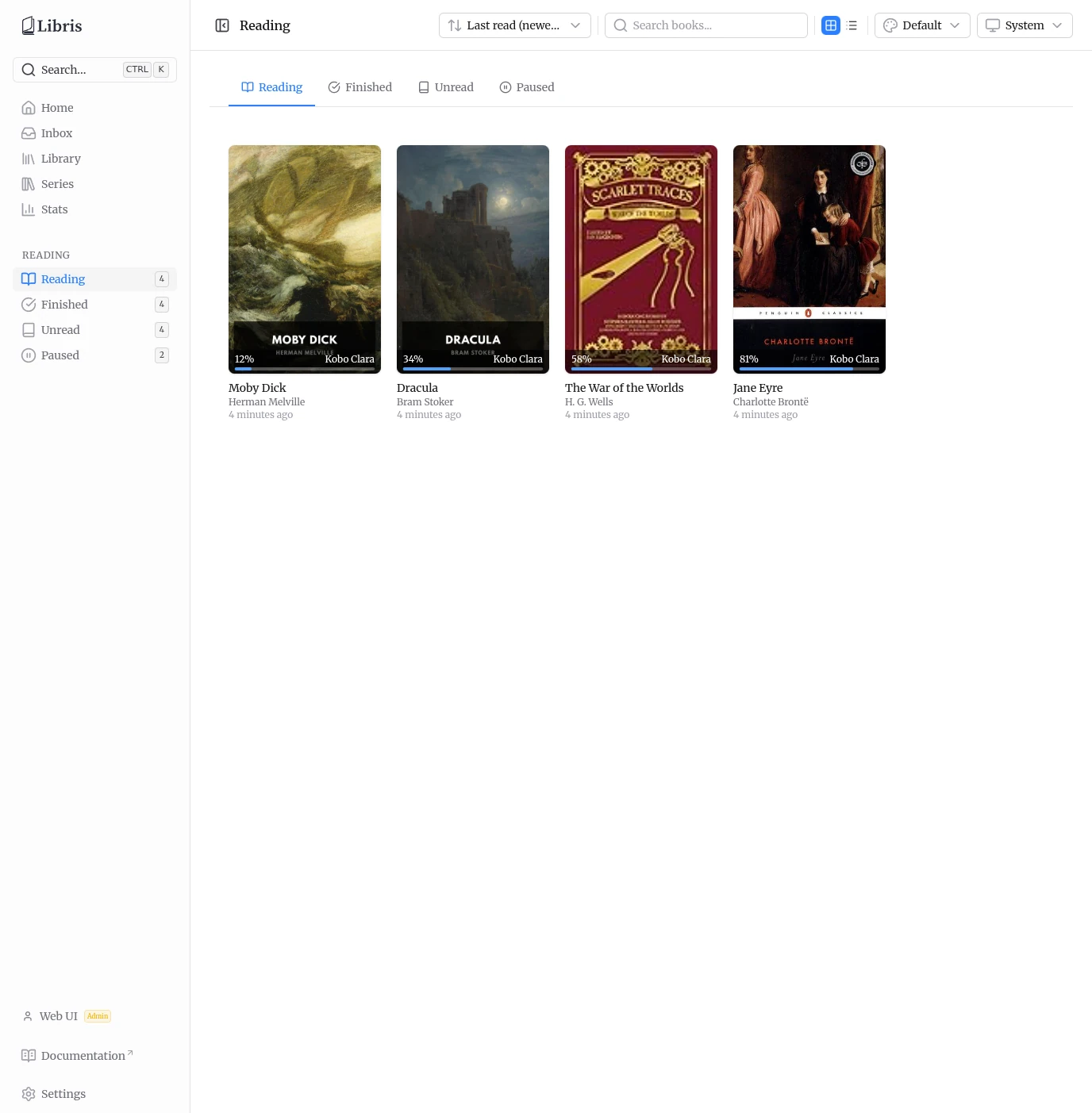
Each link opens the reading shelf at /reading/<status>. The shelf page provides:
- Status tabs across the top to switch between Reading, Finished, Unread, and Paused without leaving the page.
- A grid / list view toggle.
- A search box that filters the current shelf by title and author.
- Sort options: Last read (newest), Last read (oldest), Progress (high), Progress (low), Title A-Z, and Title Z-A.
Each book card shows its cover, progress percentage, the device it was last read on, and how recently it was updated. Clicking a card opens that book's detail page.
Stats Page
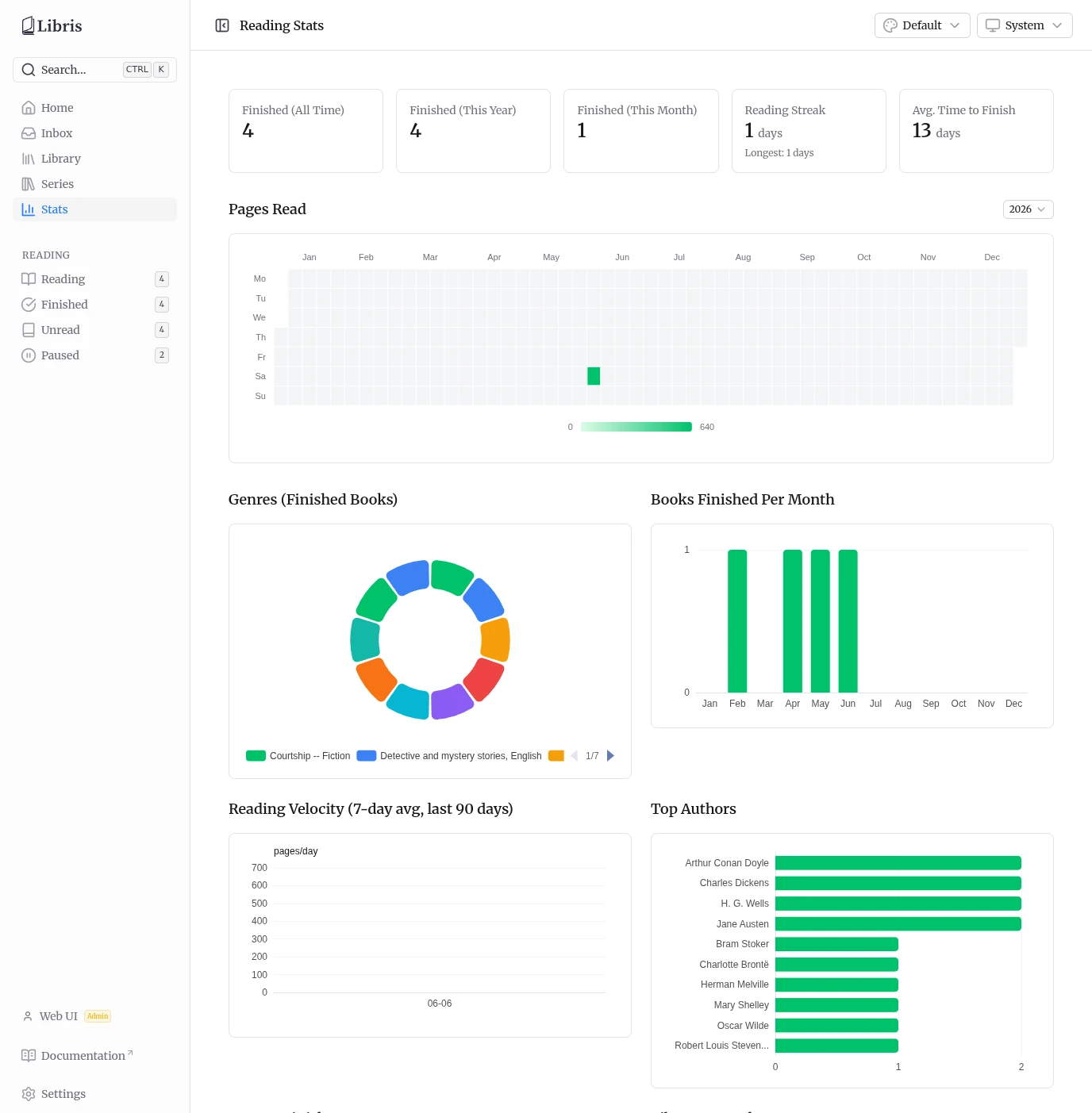
The Stats page (sidebar entry Stats) reports reading analytics computed from your own progress data. Reading stats are per-user.
Summary Cards
Five summary cards run across the top:
- Finished (All Time) — Total books finished.
- Finished (This Year) — Books finished in the current calendar year.
- Finished (This Month) — Books finished in the current calendar month.
- Reading Streak — Your current streak in days, with your longest streak shown below it.
- Avg. Time to Finish — Average number of days between starting and finishing a book.
Pages Read Heatmap
Below the summary cards is a full-width Pages Read heatmap covering a full calendar year, with a year picker so you can switch between years. The picker offers the last five calendar years plus any earlier year that has heatmap data.
Charts
Below the heatmap is a grid of six charts:
- Genres (Finished Books) — A donut chart of the genres of books you have finished.
- Books Finished Per Month — Finished-book counts by month.
- Reading Velocity (7-day avg, last 90 days) — A 7-day rolling average of reading activity over the last 90 days.
- Top Authors — The authors you have read the most.
- Days to Finish — A histogram of how long books took to finish.
- Library Growth — How your library size has grown over time.
Hardcover Sync
If you connect a Hardcover account in Settings > Connections (see Settings) and enable Sync reading progress, Libris syncs reading status with Hardcover. Sync runs automatically once per day at 04:00, and you can trigger it on demand with Sync Now in the Hardcover section of the Connections tab. Use Show Sync Log there to inspect what was synced.
Status sync works in both directions:
- Libris to Hardcover (push) — Libris computes each book's effective status (manual override if set, otherwise the computed status) and pushes it to Hardcover. Libris never pushes an
unreadstatus: a book with no local reading data and no manual override is skipped, so Libris does not overwrite a status you already set on Hardcover. - Hardcover to Libris (pull) — When you connect a Hardcover account, Libris pulls your existing Hardcover statuses for matched books and stores them as a read-only fallback. These pulled statuses surface for books that have no local reading data, so a fresh install with an existing Hardcover library shows reading state across the library without re-marking anything. Pulled statuses never feed the push path back to Hardcover.
Hardcover's Did Not Finish maps to the Libris paused status, since Libris does not model abandonment separately.
A manual local override always wins. If you set a status on a book in Libris from the detail page, that status is what Libris pushes and what it shows locally, regardless of what Hardcover reports, until you clear the override.